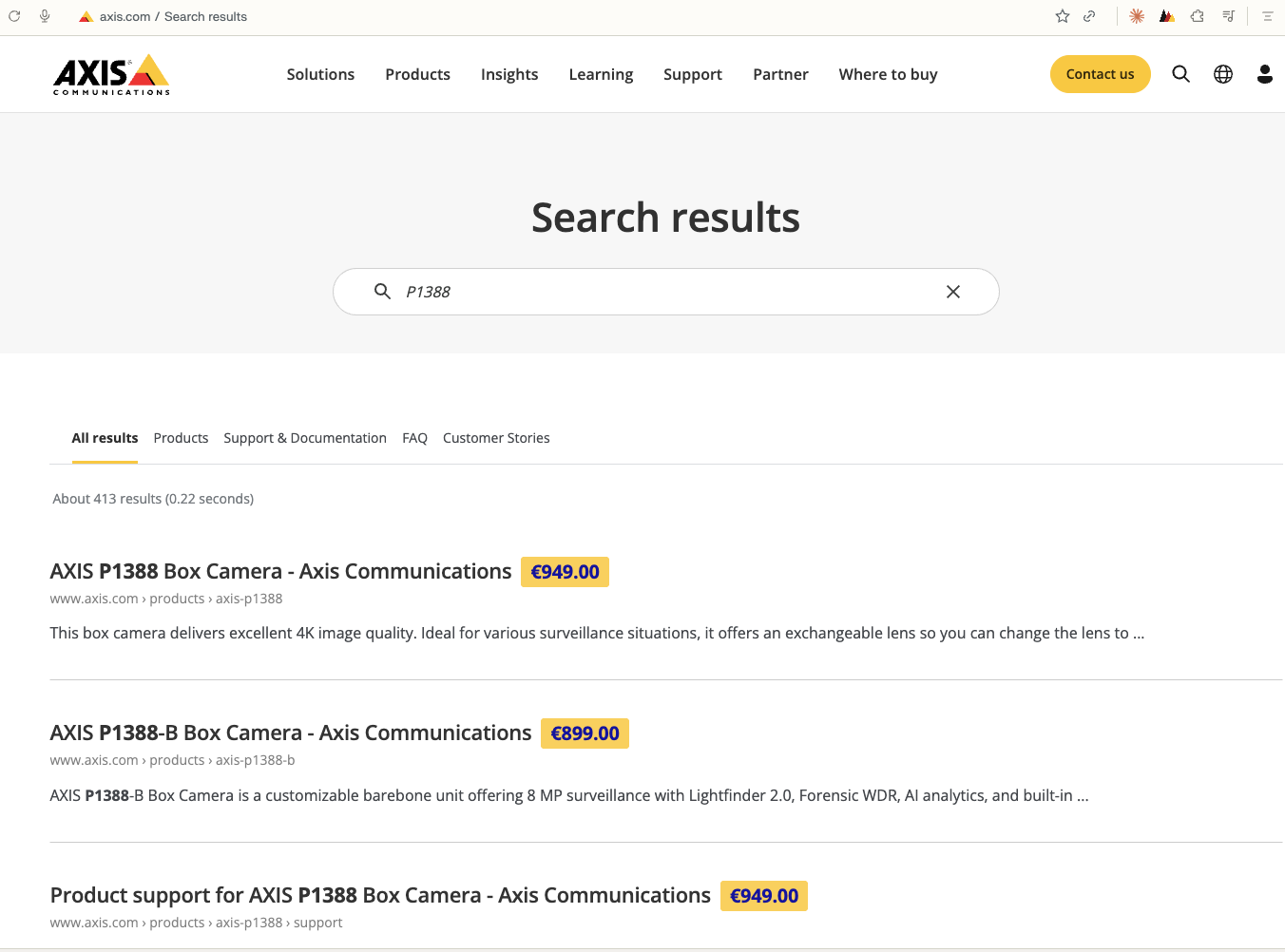
A yellow MSRP badge and a CamStreamer chipset label on every recognized camera — on the Axis Product Selector, axis.com search, and every axis.com product and category page, right down to the Compare Products table. EUR, USD, JPY — or no prices at all. A field-of-view slider alongside the multi-select chipset filter, a map tool that picks cameras from the coverage you draw, a fully Japanese UI when you want it, self-serve monthly price updates, and a toolbar popup that looks up any model or part number — light or dark, your call.
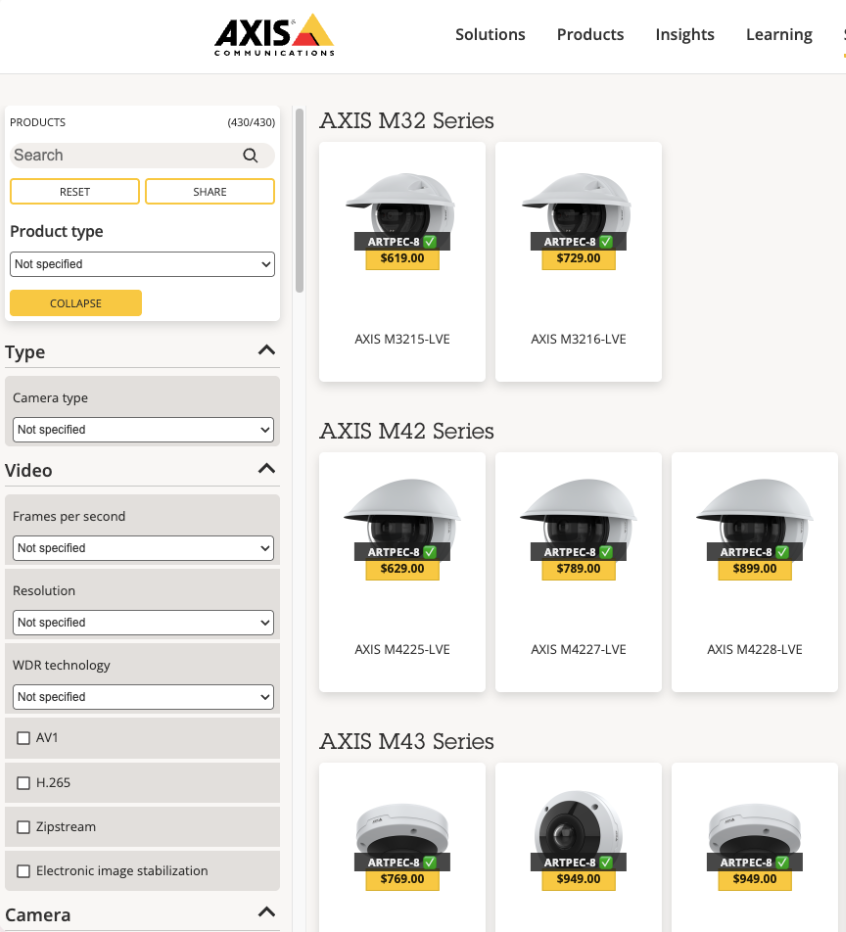
Product Selector, search, product/category pages, and Compare Products tables — everything updates live, no page reload when you flip currency, refresh chipset data, or touch the chipset filter.
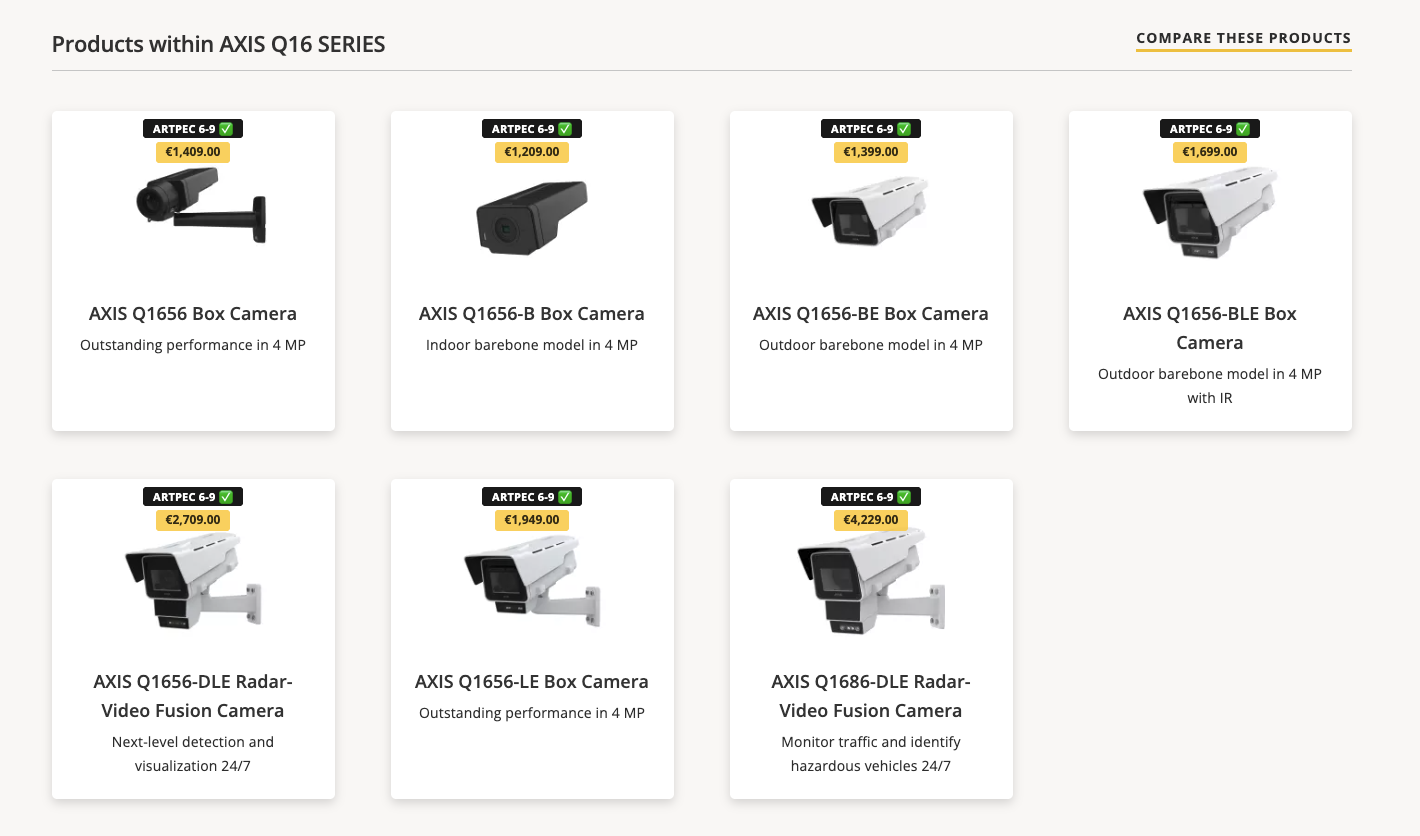
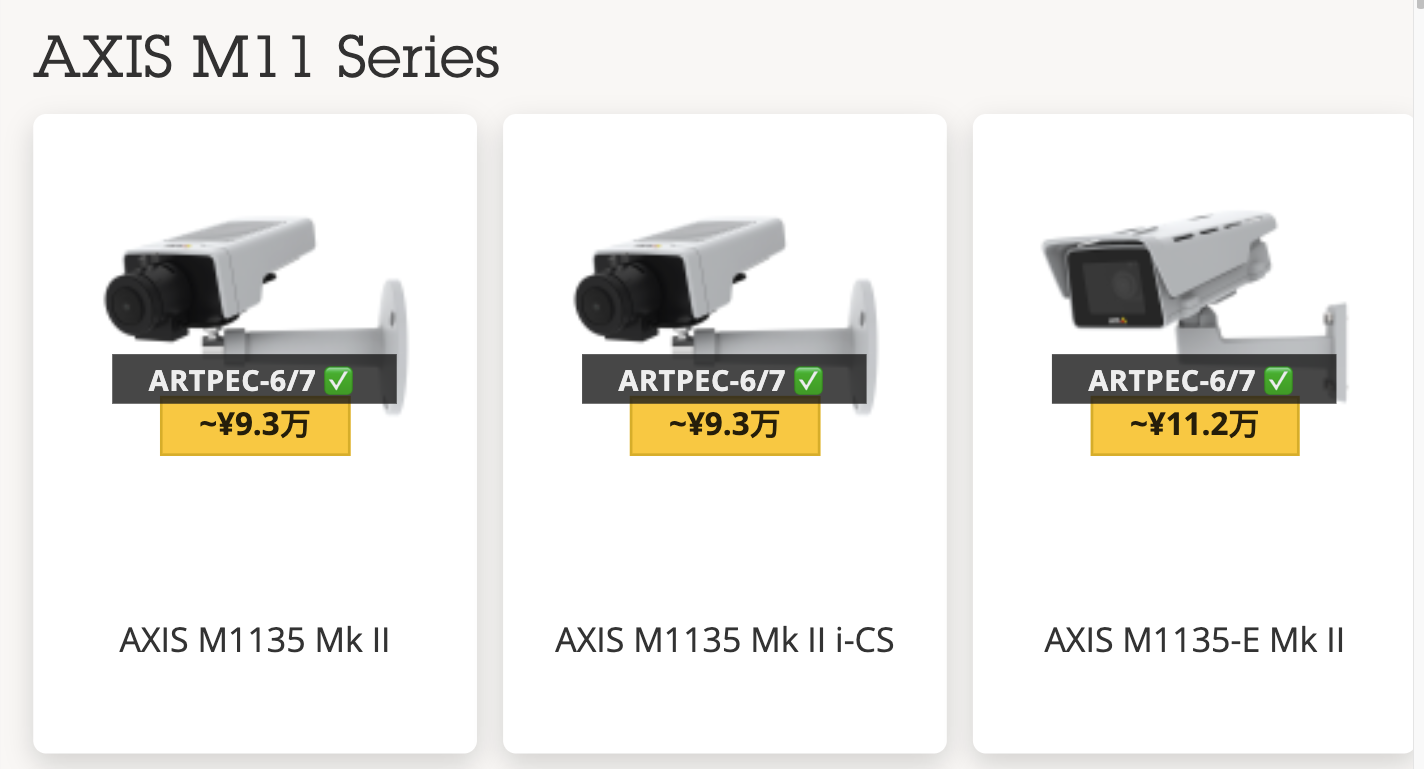
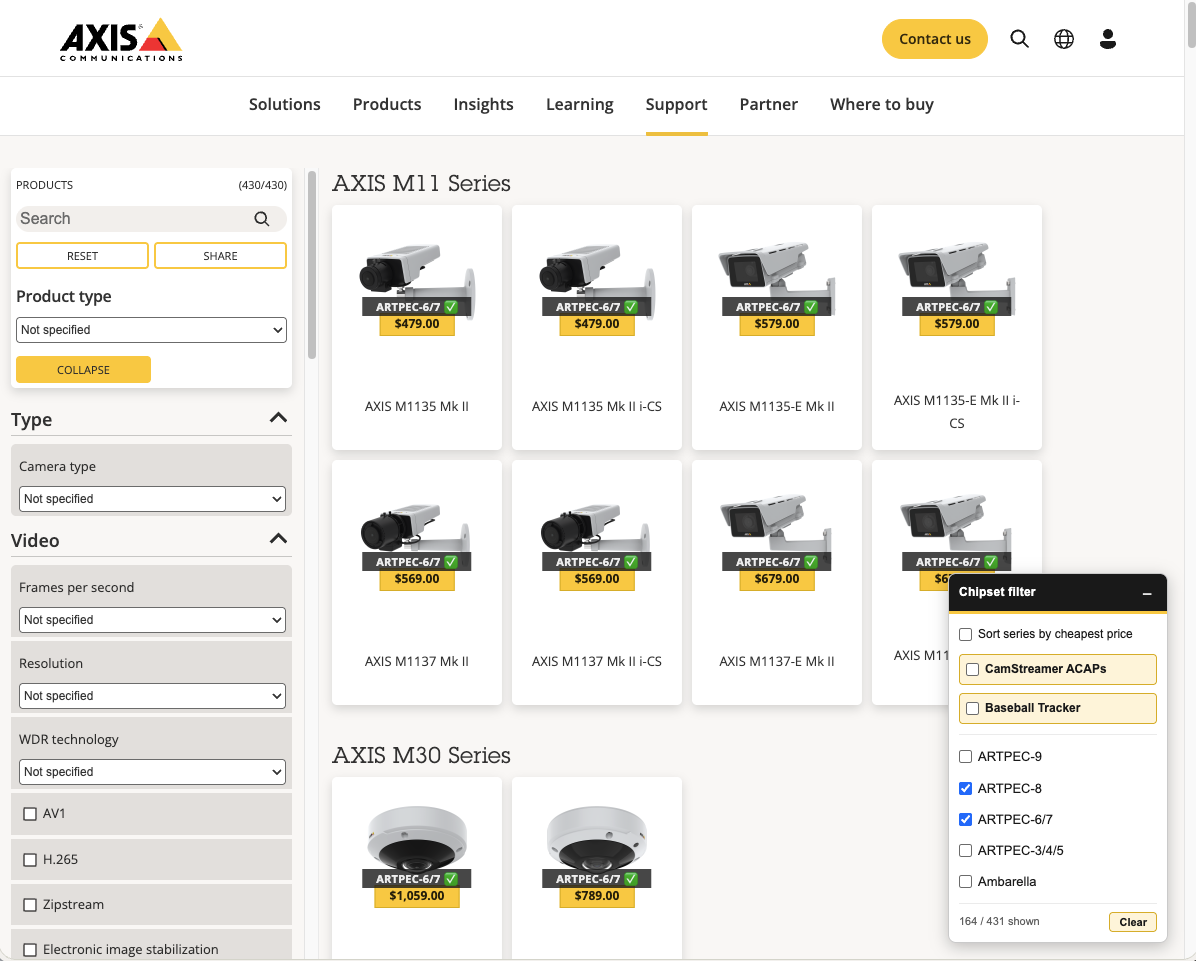
Every recognized product tile gets a yellow price badge — hover for the Axis part number — plus a chipset label where CamStreamer has data, with a checkmark for CamStreamer Support.
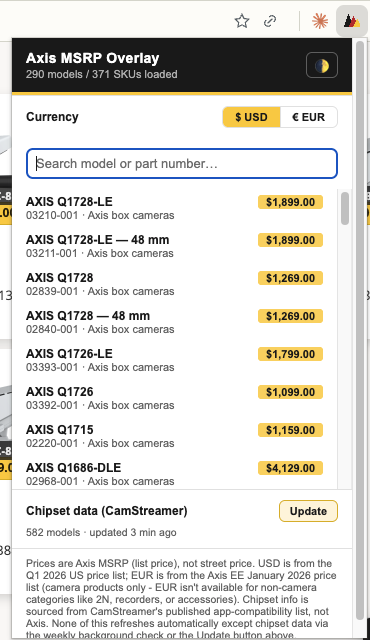
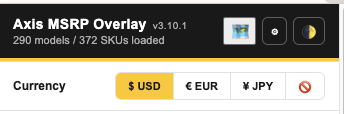
One click switches € EUR / $ USD / ¥ JPY everywhere at once. EUR is the one "final" list-price figure; USD and JPY are always FX-derived approximations, so they're marked with a leading ~ and JPY is shown in shortened 万 (man) units — e.g. ~¥37.3万 instead of a six-digit yen figure. First-run currency defaults to your locale (JPY for Japanese locales, USD for the Americas, EUR everywhere else) until you pick one yourself. Search the full catalog by model name or part number, on any page, and toggle light/dark theme from the same header.
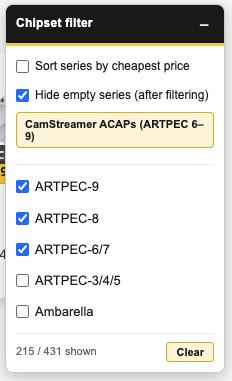
ARTPEC-9 / -8 / -6-7 / older / Ambarella, all at once — unlike the site's single-select dropdown. One click on CamStreamer Support selects every chipset family the apps actually run on. The same floating panel on the Product Selector also has a minimum field-of-view slider, so you can rule out cameras whose published FOV doesn't reach wide enough for the shot — models with no FOV data yet simply stay visible rather than disappearing.
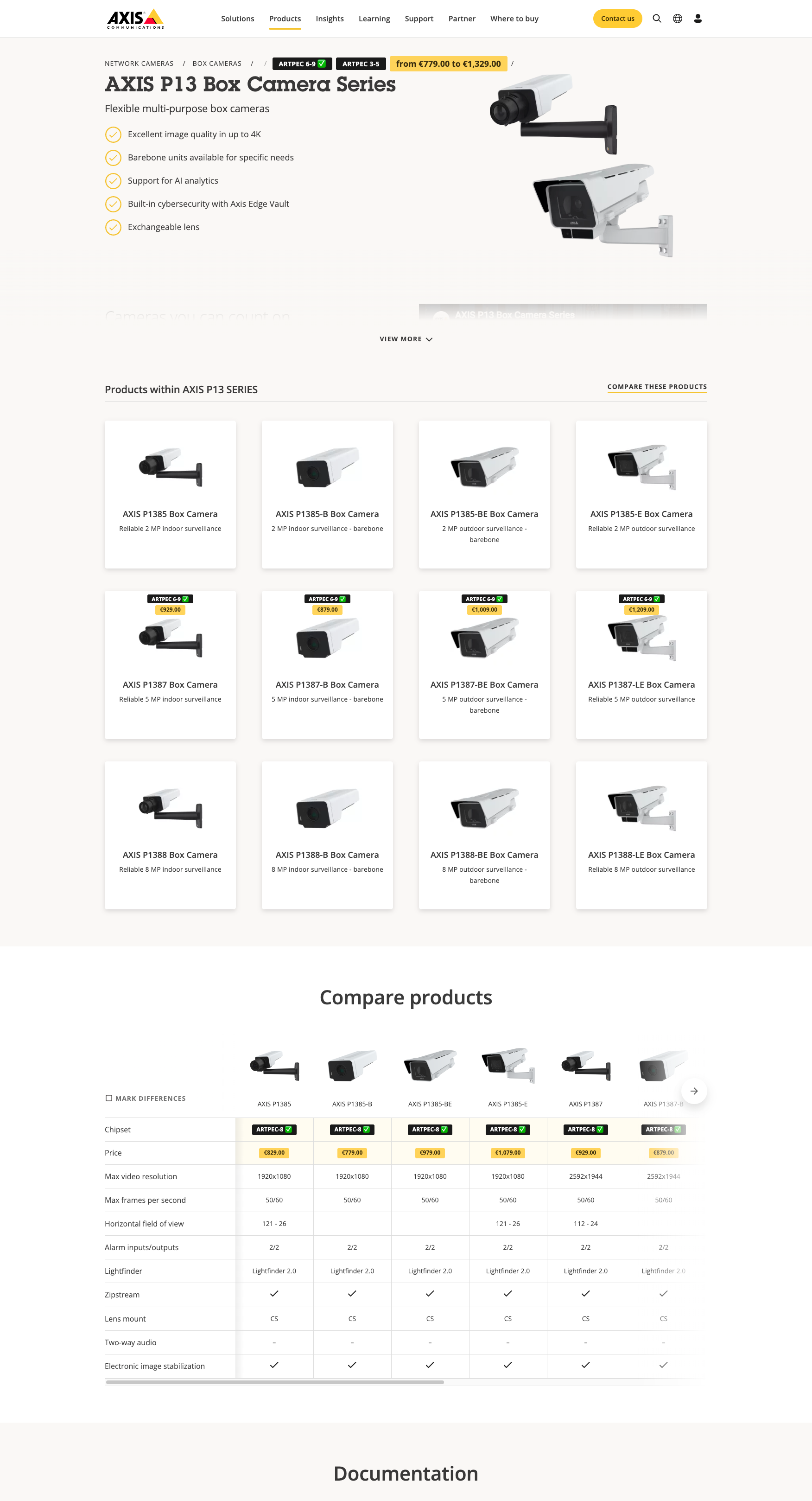
Search for a model (M1137) or a whole series (Q35) — titles get an exact price, a variant range, or a "from €X" badge.
Every model tile on a hub page (Box cameras) or series page gets a top-of-card price + chipset badge — a specific price for one model, or a "from €X" range for a whole series card — without ever covering the site's own captions.
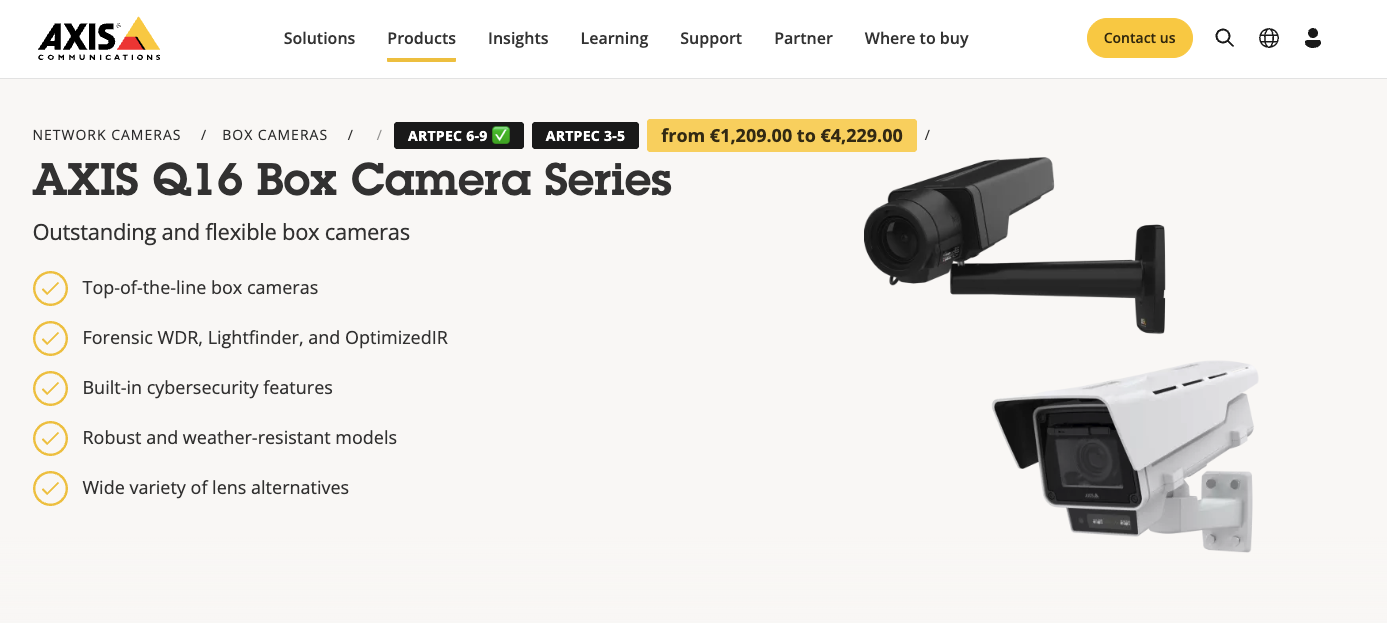
A series page's breadcrumb trail gets the full price range and every chipset used across the series in one glance. Open the Compare Products table on the same page and it gains two new rows at the top — Chipset and Price — one column per model.
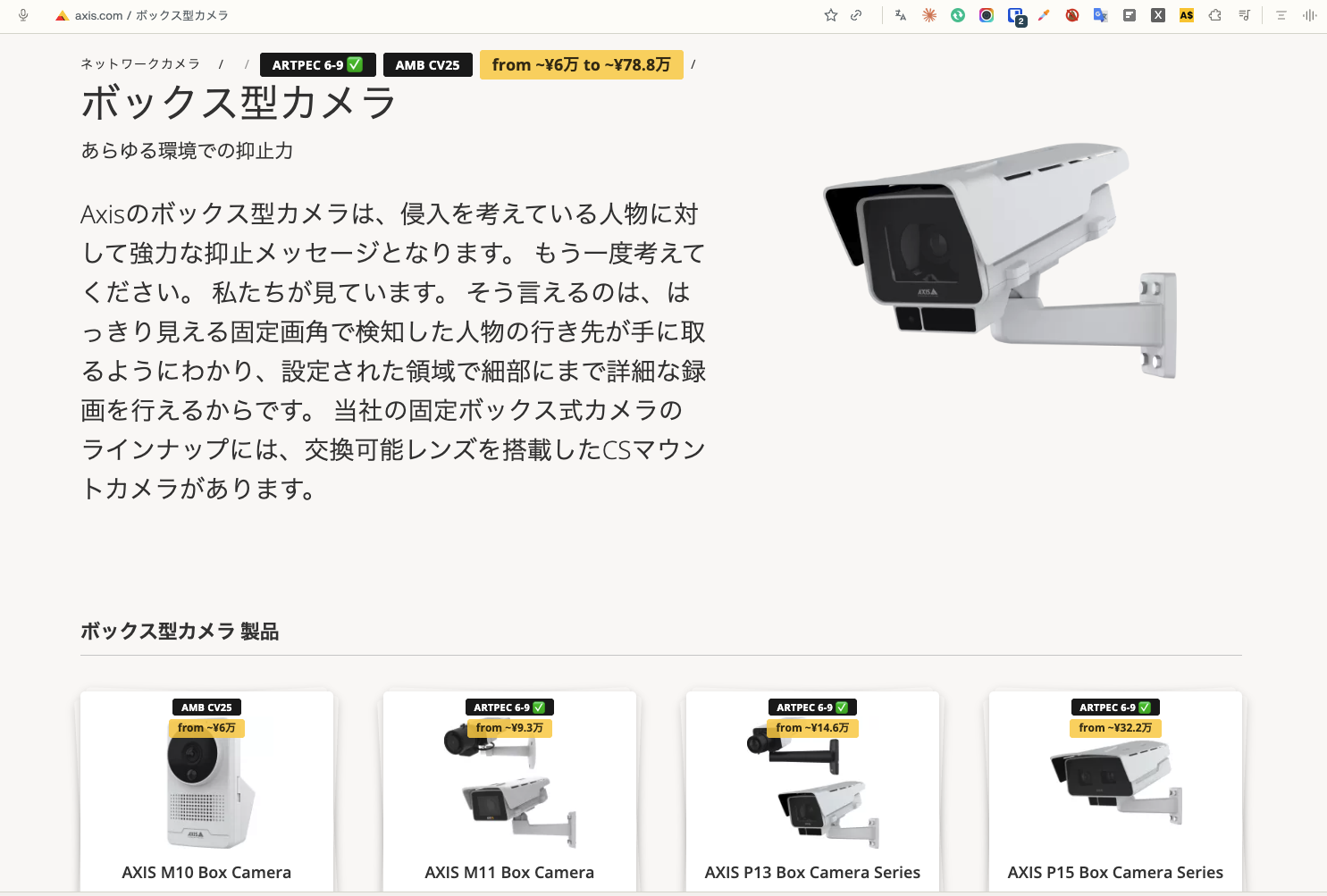
Badges are placed by CSS class and URL slug, never by matching English text, so a fully translated page like ボックス型カメラ gets the same breadcrumb range and card badges as its English twin. On first run the currency follows the locale you're browsing — JPY on Japanese pages, USD in the Americas, EUR everywhere else — and picking a currency yourself overrides it for good.
Yen figures are rounded up to the nearest ¥1,000 and written in shortened 万 (man) units — ~¥9.3万 rather than ¥93,000 — so a price badge stays the same size in every currency. The leading ~ is a reminder that yen is converted live from the EUR list price at the latest ECB reference rate, not quoted from a published Japanese price list. Switching to ¥ JPY also swaps the popup's disclaimer to Japanese.
A fourth 🚫 option in the same currency row switches prices off across the whole extension — Product Selector badges, search results, product and category pages, the series breadcrumb, both comparison tables, the popup list and the map tool. Chipset badges, the chipset filter and the field-of-view tools all keep working untouched, so it stays a full camera-picking tool for anyone who simply doesn't deal with pricing. Cheapest-first sorting still works too, since it reveals no numbers.
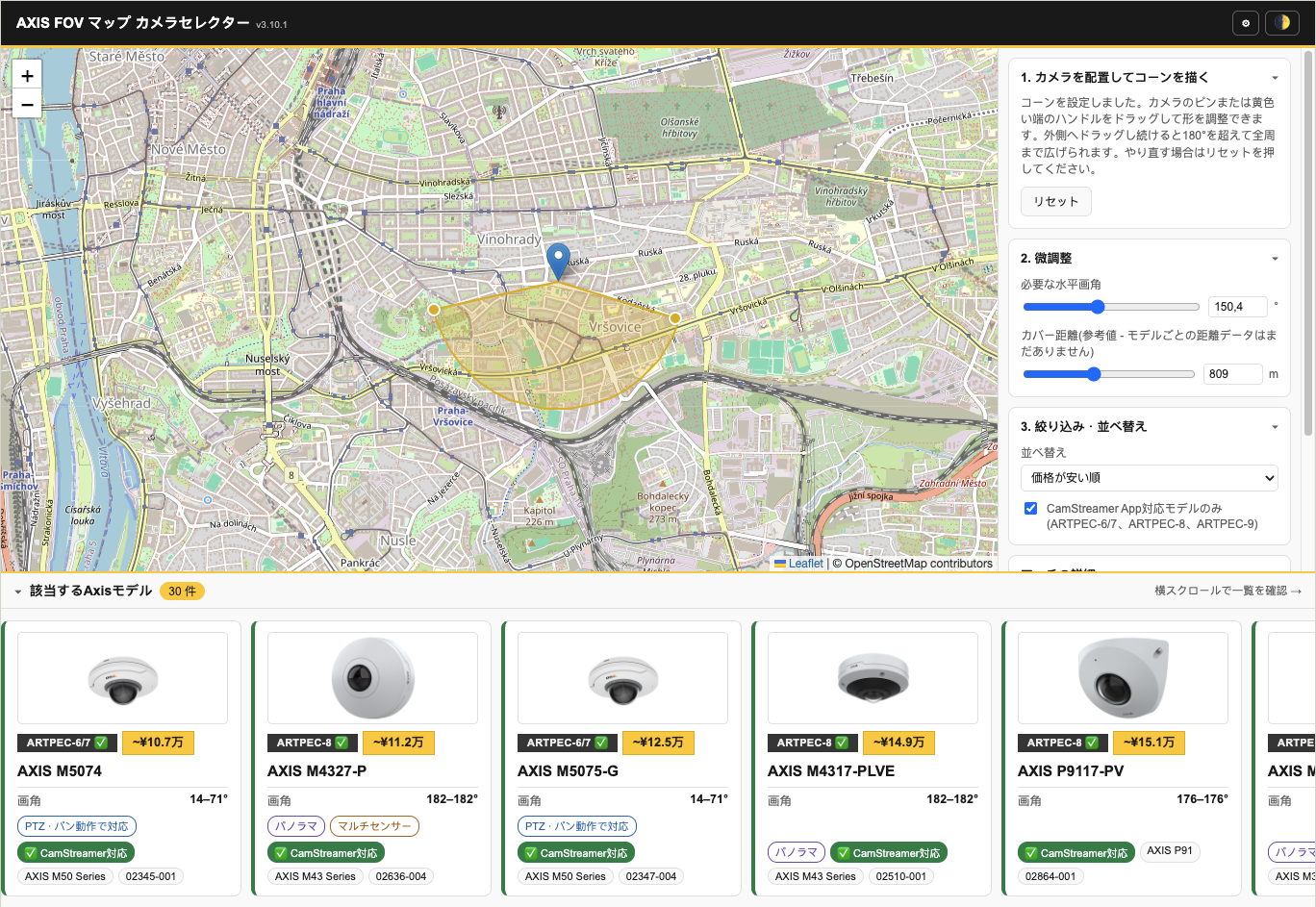
Every surface — popup, price-update page, the map tool and every badge and tooltip injected into axis.com — switches to Japanese whenever any one of three things is true: ¥ JPY is the selected currency, the browser's own UI language is Japanese, or you're on the /ja-jp/ locale of axis.com. There's no separate language switch to remember, and it flips live on already-open tabs. Product names, model numbers and terms like ARTPEC and CamStreamer stay in roman script, the way Japanese technical UI normally treats them.
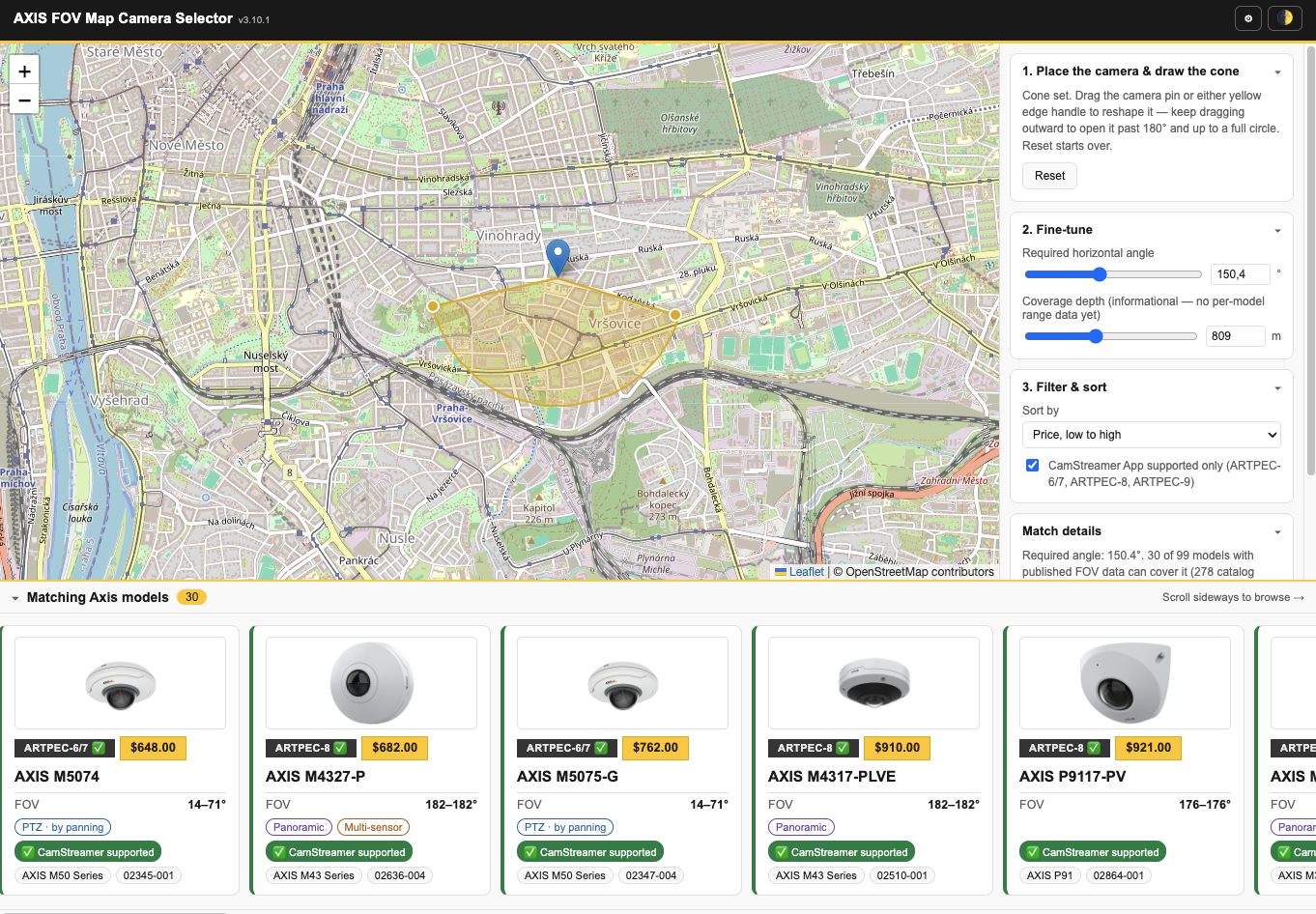
Open the map tool from the popup, drop a pin where the camera goes, then drag out the two edges of the ground you actually need to watch. It works out the horizontal angle that requires and ranks every Axis model whose published field of view can deliver it.
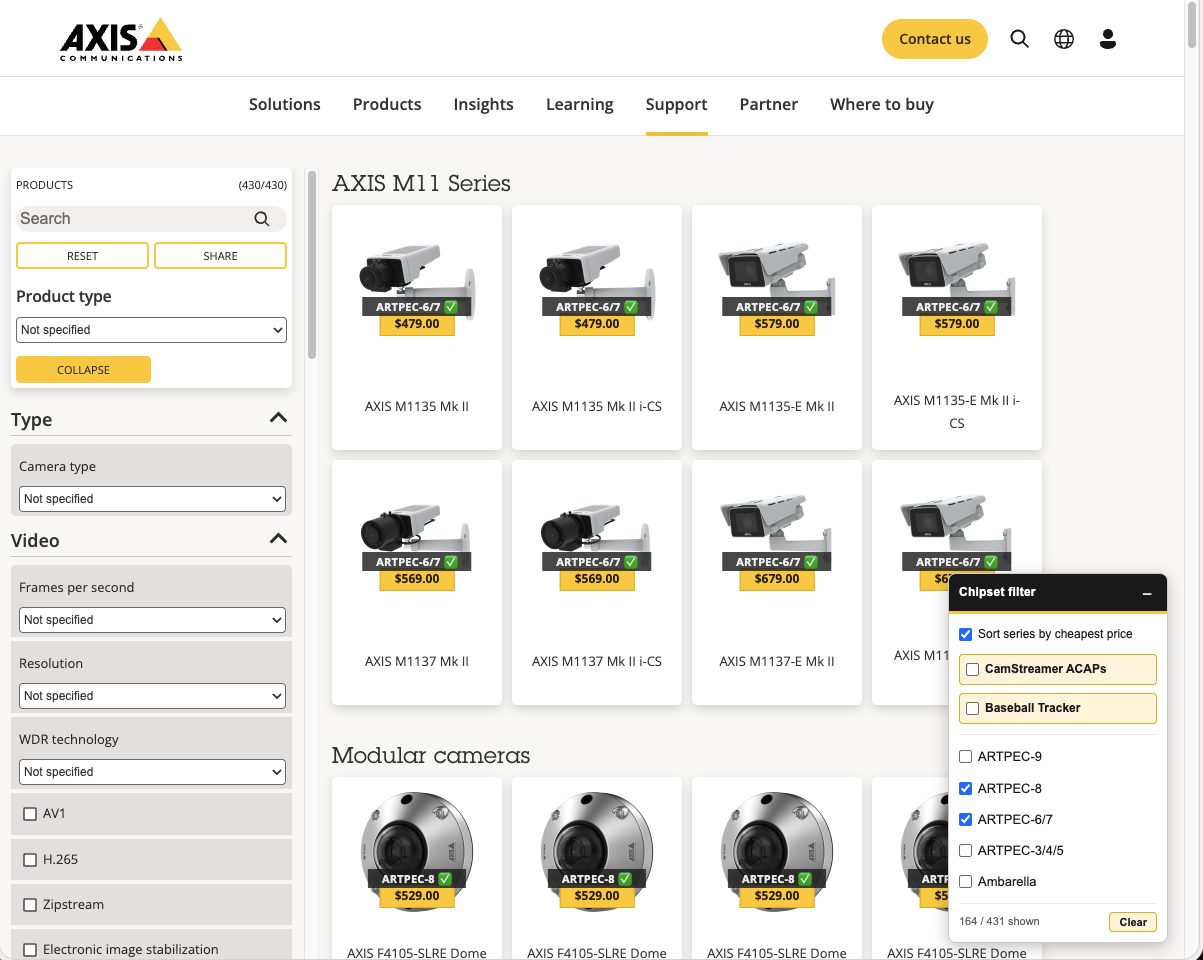
An optional toggle re-ranks every series so the one with the cheapest currently-visible product floats to the top — recalculated live as you filter by chipset. TRY IT — CHECK THE BOX
OFF Series stay in the Product Selector's own default order (M11 → M30 …). ON Modular cameras jumps ahead of M30 — now the cheapest visible series.
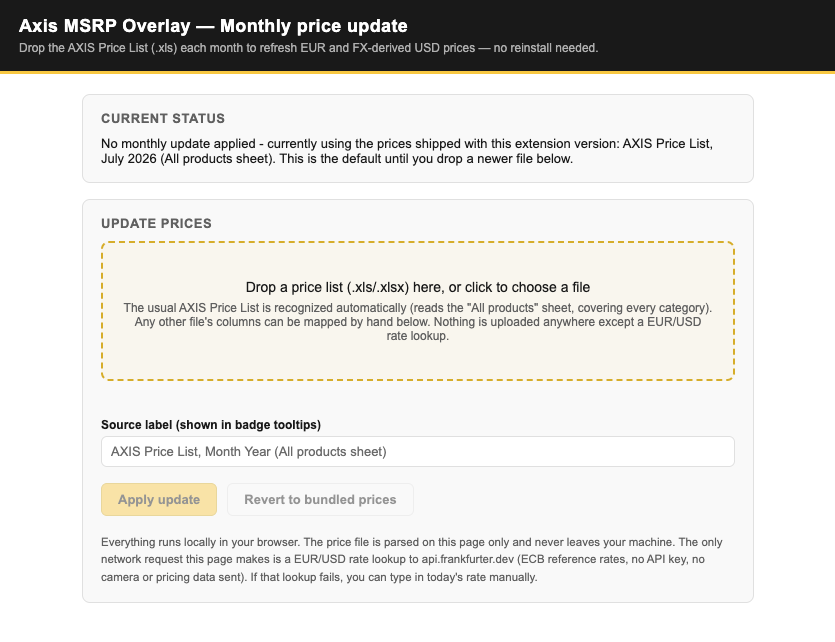
Axis publishes a new AXIS Price List roughly every month. Since v2.0.0, the extension parses it itself: open the settings page from the toolbar popup's ⚙ button and drag the new file in.
.xls/.xlsx file and it reads the "All products" sheet, detects the name/part-number/price columns, and figures out EUR vs. USD vs. JPY on its own.One click, no developer mode, and Chrome keeps it up to date from then on.
The "All products" sheet of the AXIS Price List — 290 models and 377 SKUs, of which 325 carry a EUR list price (every product section has EUR except 2N, plus a few individual non-camera SKUs). Bundled with July 2026 pricing by default and refreshable any month by dropping in a new file. This is the one "final" list-price figure everything else is derived from.
Both are approximations, marked with a leading ~. USD is baked in at bundle-build time (1 EUR ≈ 1.1387 USD, per xe.com) — FX-derived from EUR, except for the handful of SKUs with no EUR entry, which keep their original Axis US list figure. JPY is converted live from EUR using whatever rate api.frankfurter.dev last returned, shown in shortened 万 units and refreshed weekly alongside chipset data.
fov-data.js is hand-curated: every figure is read off that model's own Technical specifications → Lens → Horizontal field of view row on axis.com, because the Product Selector loads FOV from an internal authenticated API there's no public feed for. 93 entries currently resolve to 99 of the 377 SKUs, and the whole pan/tilt/zoom range is now covered (23 of 23). Models with no entry yet are simply excluded from the map tool rather than guessed at.
chipset-data.js bundles a snapshot parsed from camstreamer.com's supported-hardware list — refreshed weekly by the background service worker, or on demand from the popup.