The first on-camera Model Context Protocol server for AXIS cameras. One .eap opens the camera to Claude, Gemini, ChatGPT and Perplexity — no cloud, no middleware. Zero hops. Zero cloud.
Claude, Gemini, ChatGPT and Perplexity talk to the device directly — the intelligence meets the camera on its own loopback.
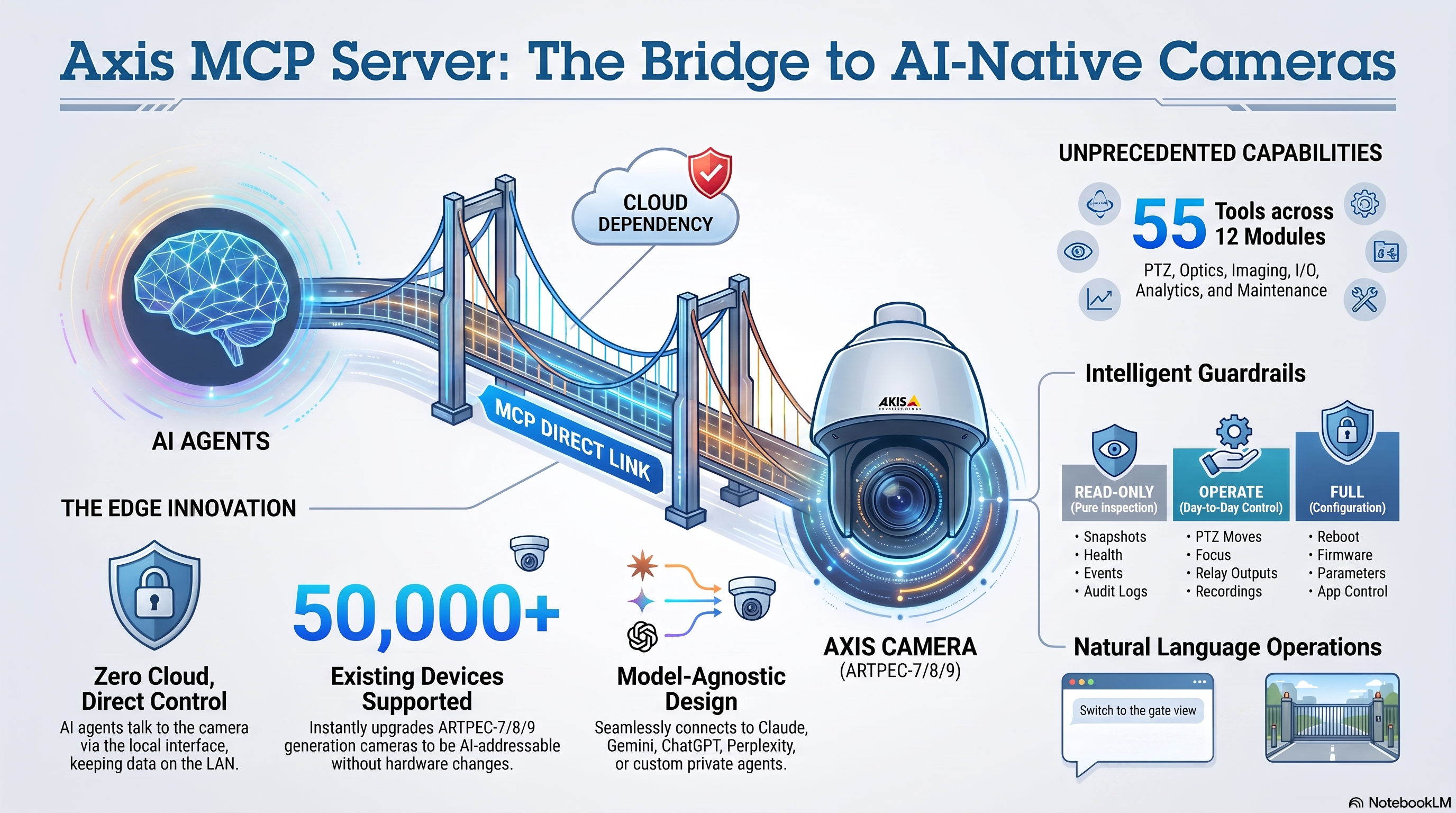
A Node.js runtime bundled into a native AXIS OS 11/12 ACAP. No gateway, no relay — the MCP server runs on the device.
Standards-compliant MCP over stateless Streamable HTTP — serving both the 2025 revision and 2026-07-28, which dropped the handshake and sessions entirely. One endpoint, no per-client configuration.
Claude, Gemini / Antigravity, ChatGPT Developer Mode, Perplexity, and any custom agent. Open protocol, open future.
Device health, snapshots, imaging, optics, autofocus, PTZ, guard tours, overlays, Zipstream, I/O, recordings, streaming, MQTT, audio, events, analytics, ops/diagnostics, device pairing, cloud recording, app control and guarded maintenance — as clean structured tools.
Drive CamStreamer, CamSwitcher and CamOverlay. “Switch to the gate view and go live” — and it happens.
Operator-set access levels (read-only by a switch), rate limits, allow-listed writes, and a direct port that's off by default. See the security model →
269 tools across 34 modules that return data an LLM can reason over — not raw CGI dumps.
get_device_info · get_device_properties · get_system_status · get_time · get_view_areas
take_snapshot · get/set_image_settings · set_zoom_focus · get_optics · autofocus
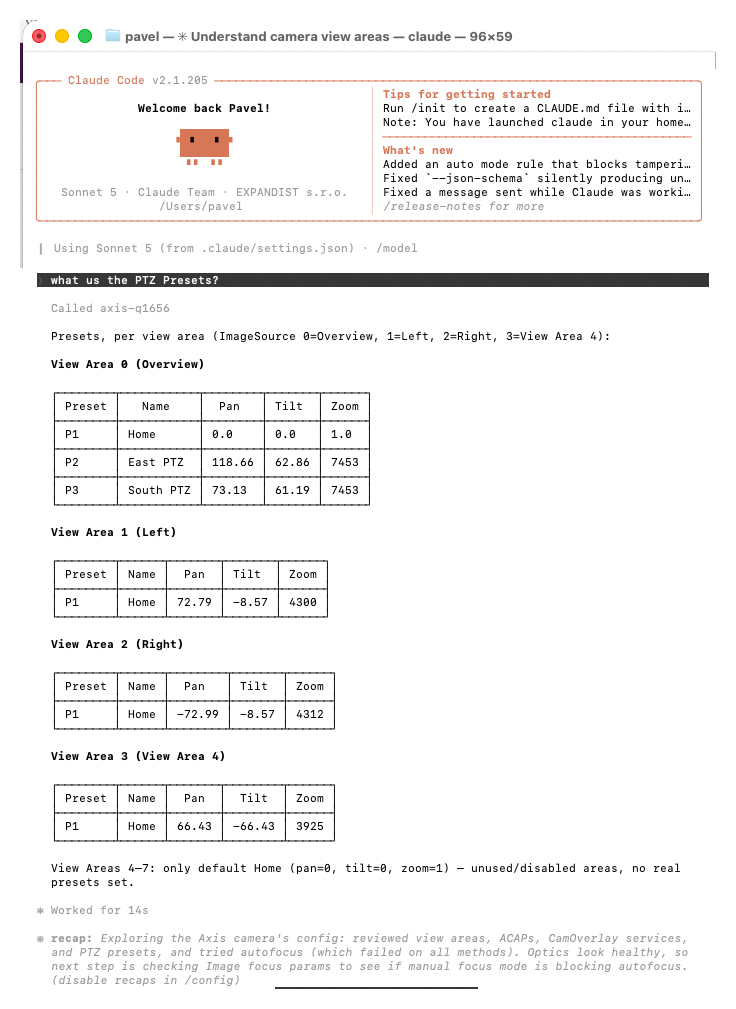
ptz_move · relative/absolute/continuous · ptz_query · ptz_preset_list (per view area, w/ pan/tilt/zoom) · presets (goto/save/remove)
list_event_declarations · get_analytics_status
aoa_get_scenarios · aoa_get_object_counts · aoa_get_triggered_alerts
vmd4_get_profiles · vmd4_get_triggered_profiles
lpv_get_recent_plates · lpv_get_plate_image · lpv_get_push_config · lpv_get_heartbeat_config
queue_get_live_count · queue_get_params · queue_get_history
*_get_profiles · *_get_triggered_profiles
*_get_config · *_get_triggered
demographics_get_live_tracks · demographics_get_stats
peoplecounter_* · p8815_* (3D People Counter)
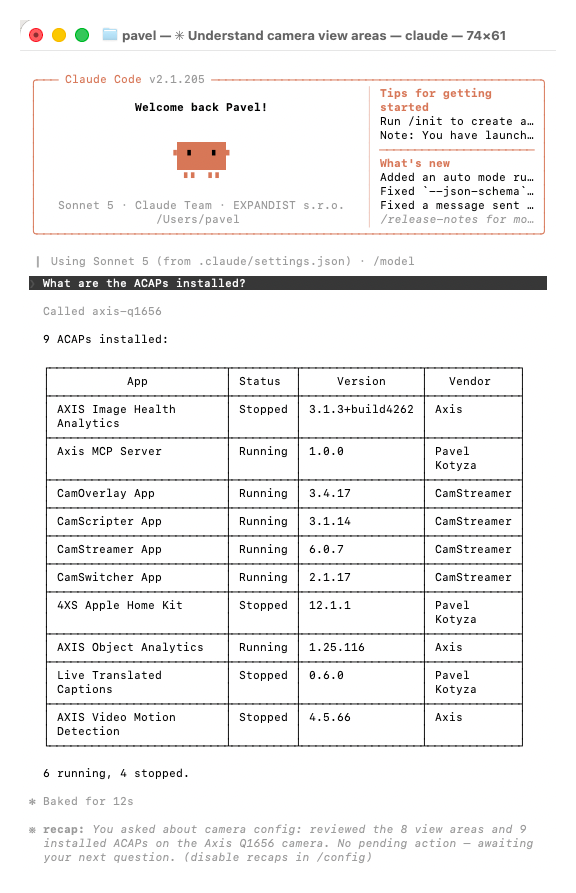
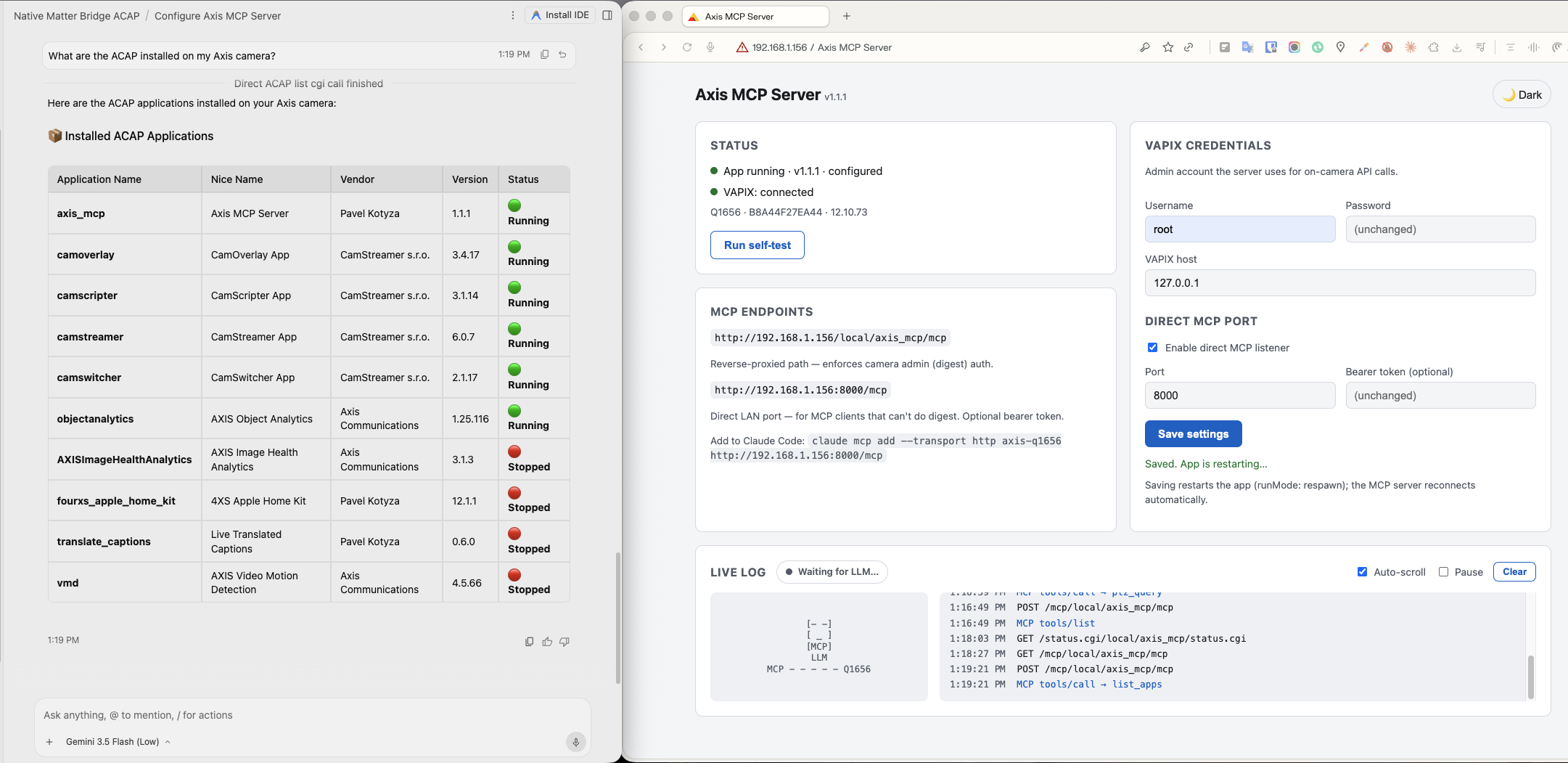
list_apps · control_app · get_params · set_param
get_api_list · get_capabilities · get_firmware_properties · reboot_camera · factory_default
io_set_output · io_get_inputs · storage_list/start/stop_recording
get_rtsp_url · get_mjpeg_url · get_audio_urls · media_get_stream_url
camstreamer_list_streams · stream_status · control_stream
camswitcher_list/switch/queue · camoverlay_services · update_graphic_text
overlay_add_text/image · zipstream_set_strength/gop/profile · viewarea_list/set_geometry
daynight_* · light_* · imagestab_* · ratecontrol_* · capturemode_* · dewarp_*
guardtour_create/add_preset/set_running · recordedtour_record/play · autotracker_* · orientationaid_*
auditlog_get · get_server_report/system_log · get_systemready · network_get_tcp_retransmissions
find_my_device · mdnssd_discover · geolocation_* · ntp_get_info · network_get_info
streamprofile_* · streamstatus_list · mqtt_configure_client · mqtt_configure_event_publication · signedvideo_* · metadataproducer_*
audio_configure_source · audiodevice_get_settings · audioanalytics_* · audiomixer_* · mediaclip_play
dcparam_export/import · eventschedule_* · coordconv_convert · devicemode_get · objectsnapshot_set
netpairing_add · camerapairing_add · recordinggroup_create · remotestorage_add · analyticsmqtt_add_publisher · datatransform_create
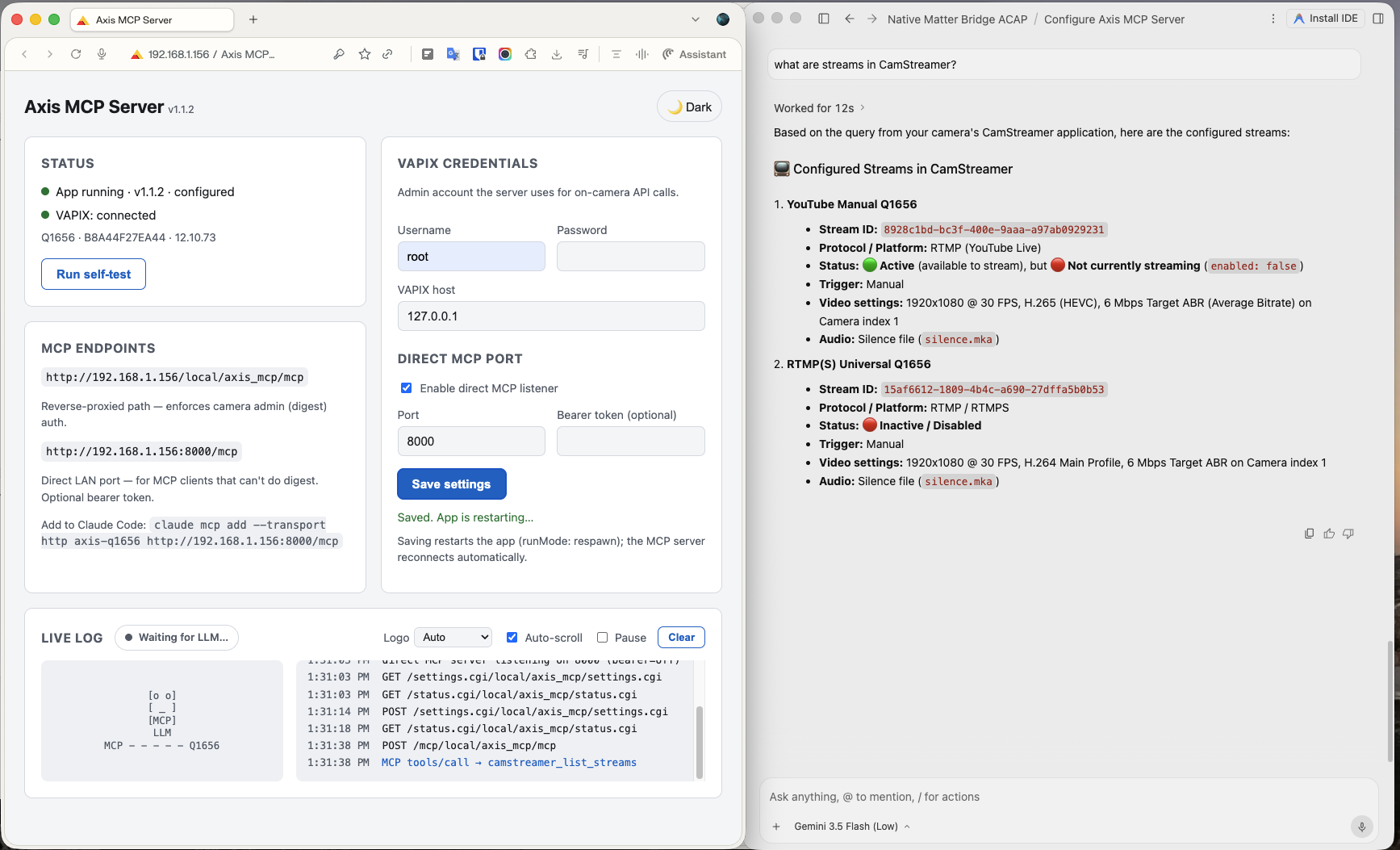
No scripts, no SDK glue — just natural language over MCP, against a live AXIS Q1656.
The agent speaks MCP over Streamable HTTP to the camera itself. VAPIX calls never leave the device.
Nothing leaves the LAN unless you deliberately expose it. The intelligence runs where the pixels are.
The AI gets exactly the access the operator grants — nothing more. Enforced in code, visible in the log.
The MCP cannot create users or touch credentials, network or system config — parameter writes are hard allow-listed to imaging, time, audio, events and overlays.
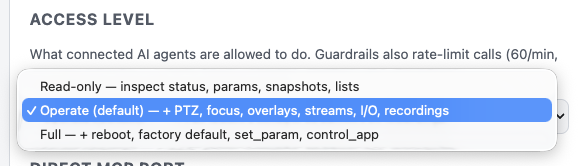
A three-position operator switch: Read-only (138 inspection tools), Operate (default, +76 control tools), Full (+38 config/maintenance tools). Blocked tools return a polite refusal. See the map →
60 tool calls/min, 20 writes/min, and a hard cap of 20 PTZ presets — per caller, so an agent looping on the LAN port cannot exhaust the operator's own budget on the authenticated proxy.
Reboot and factory default demand an explicit confirm: true on top of Full access. No accidental resets.
The direct LAN port is off by default; enabling it auto-generates a bearer token, compared in constant time, and a DNS-rebinding guard rejects browser-originated calls before the token is even read. The sanctioned route sits behind the camera's own admin digest auth.
Every request, tool call and guardrail refusal streams into the Live Log and the AXIS system log. The operator always sees what the AI did. The camera also never advertises a tool it would refuse — tools/list is filtered to the access level, and every tool carries machine-readable read-only / destructive hints so a client knows what to ask about before calling.
Details in SECURITY.md.
Every one of the 252 tools is classified in guardrails.ts. Each level includes everything below it; unknown tools fail closed to Full.
Pure inspection — nothing on the camera changes. Device info & health, snapshots, view areas, param reads, PTZ position/limits, event topics, analytics counts (AOA, people counter, queue, demographics, LPV plates), audio/imaging/zipstream status, stream URLs & profiles, recordings list, audit & system logs, MQTT/pairing/storage status, CamStreamer/CamSwitcher/CamOverlay listings.
Day-to-day control. PTZ moves & presets, guard/recorded tours, autotracking, focus/zoom, image tuning (day-night, stabilizer, rotation, rate control), view-area geometry, native & CamOverlay overlays, audio operation & media clips, relay outputs, start/stop recordings, stream & profile control, zipstream tuning, event schedules, CamStreamer/CamSwitcher control.
Persistent configuration & maintenance. Reboot and factory default (each also needs confirm: true), raw set_param, ACAP start/stop, config import, capture & device mode, network/NTP/mDNS/geolocation/regional settings, MQTT wiring, signed video, analytics data plumbing, device & camera pairing, recording groups and remote storage topology, log administration.
Build with Docker on your machine, install the .eap, point your agent at the camera.
Download a prebuilt .eap from Releases, or build it yourself (ARTPEC-8 / aarch64; Docker is used only to build).
sh dev-loop.sh build # dev package, fastest loop sh release.sh # release package + notes
One package, self-contained — the MCP server and nothing else. Around 24 MB.
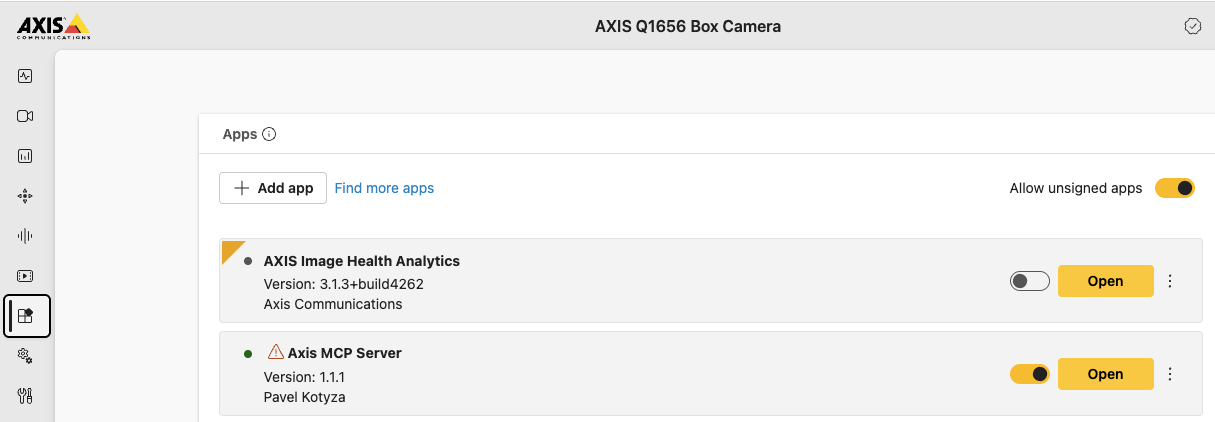
System → Apps → enable Allow unsigned apps → upload the .eap → Start. Then enter VAPIX admin credentials on the settings page.
Enable the direct LAN port on the settings page (a bearer token is generated automatically) — and tag the client so the console shows its logo.
claude mcp add --transport http axis-q1656 \
http://<camera-ip>:8000/mcp
# tag a client for its own logo
http://<camera-ip>:8000/mcp?client=antigravityLocal clients reach the camera directly; cloud clients connect via an HTTPS tunnel.
Install the .eap. Point your agent at the camera. Watch it come alive.