Photo Curator v7.0
Ko-fi
100% local Offline Open source · MIT New: HEIC in v7.0

Come home with 3,000 photos. Leave with your 50 best.

Point Photo Curator at a folder of JPEG, PNG, iPhone HEIC or RAW files. It drops the blurry frames, collapses burst duplicates and surfaces your keepers. Everything runs on your own machine.

Download for Mac Apple Silicon M1–M6 · 76 MB Download for Windows x64 · 86 MB Download for Linux x86_64 · 124 MB

Offline bundles, nothing to install. Install steps, requirements and run from source ↓

Roll 07 · 3,000 frames → 50 keepers ■ keep   ▨ soft   ✕ blurry / duplicate
01 ■
02 ✕
03 ■
04 ▨
05 ✕
06 ■
07 ✕
08 ■
09 ✕
10 ■
11 ▨
12 ■
13 ✕
14 ✕
15 ■
16 ■

The pipeline

Three steps, each feeding the next.

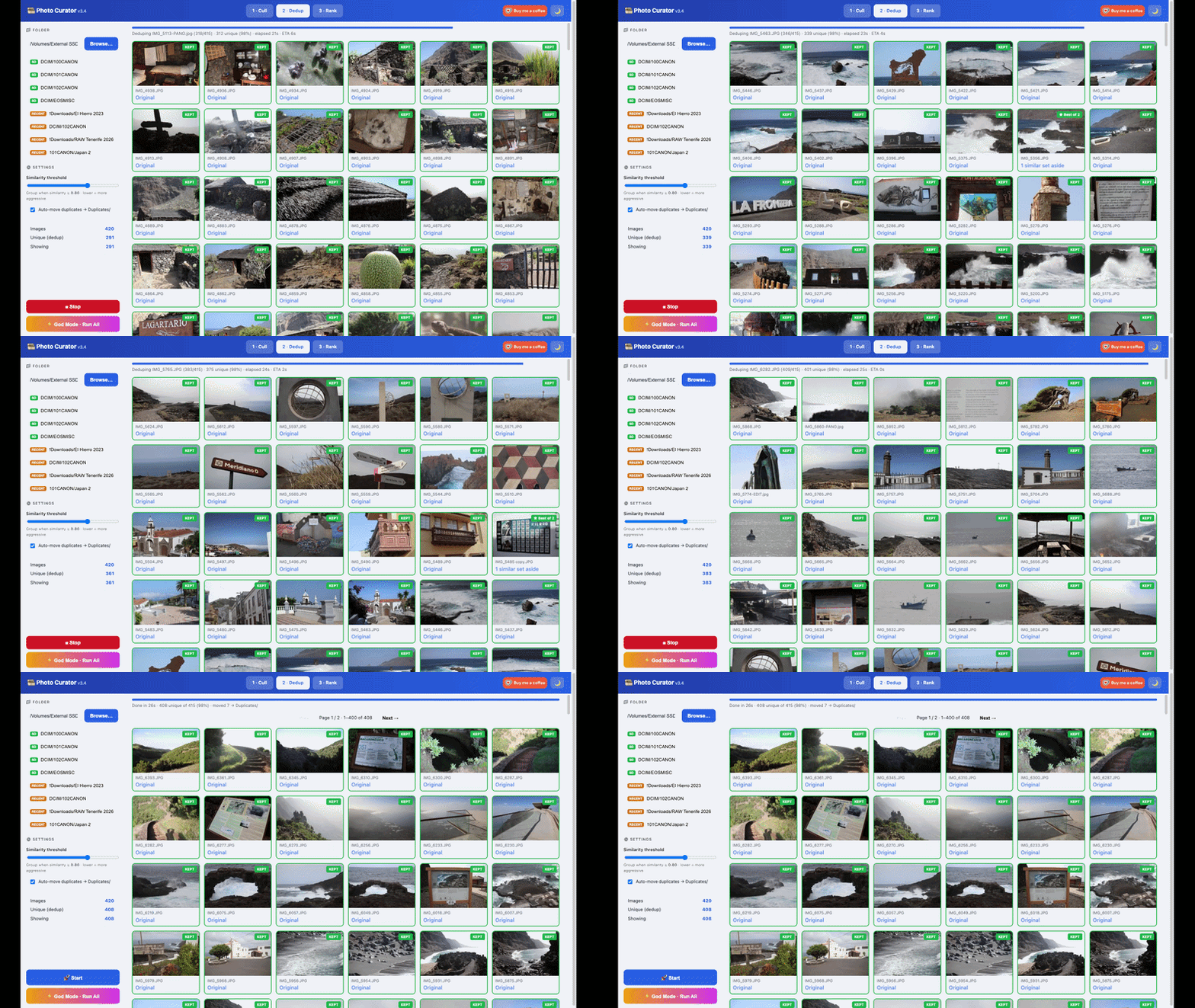
A long shoot is mostly noise: near-identical frames, blurred misfires, a handful of keepers buried in the middle. Photo Curator does the first pass in seconds per hundred photos, and every decision stays reversible. Nothing is deleted or moved until you say so.

Step 1 · Cull

Drop the out-of-focus shots first.

Sharpness is measured as var(Laplacian) / var(image) on a normalized copy, so it judges real focus, not contrast. Big skies, haze and night scenes are kept, not punished.

  • Sorted into Sharp · Soft (recoverable) · Blurry
  • RAW / JPG filter chips, or a specific format (CR2, NEF, ARW…)
  • One-click Sharp ⇄ Blurry override on any frame
  • Adjustable strictness; blurry shots move only when you press the button
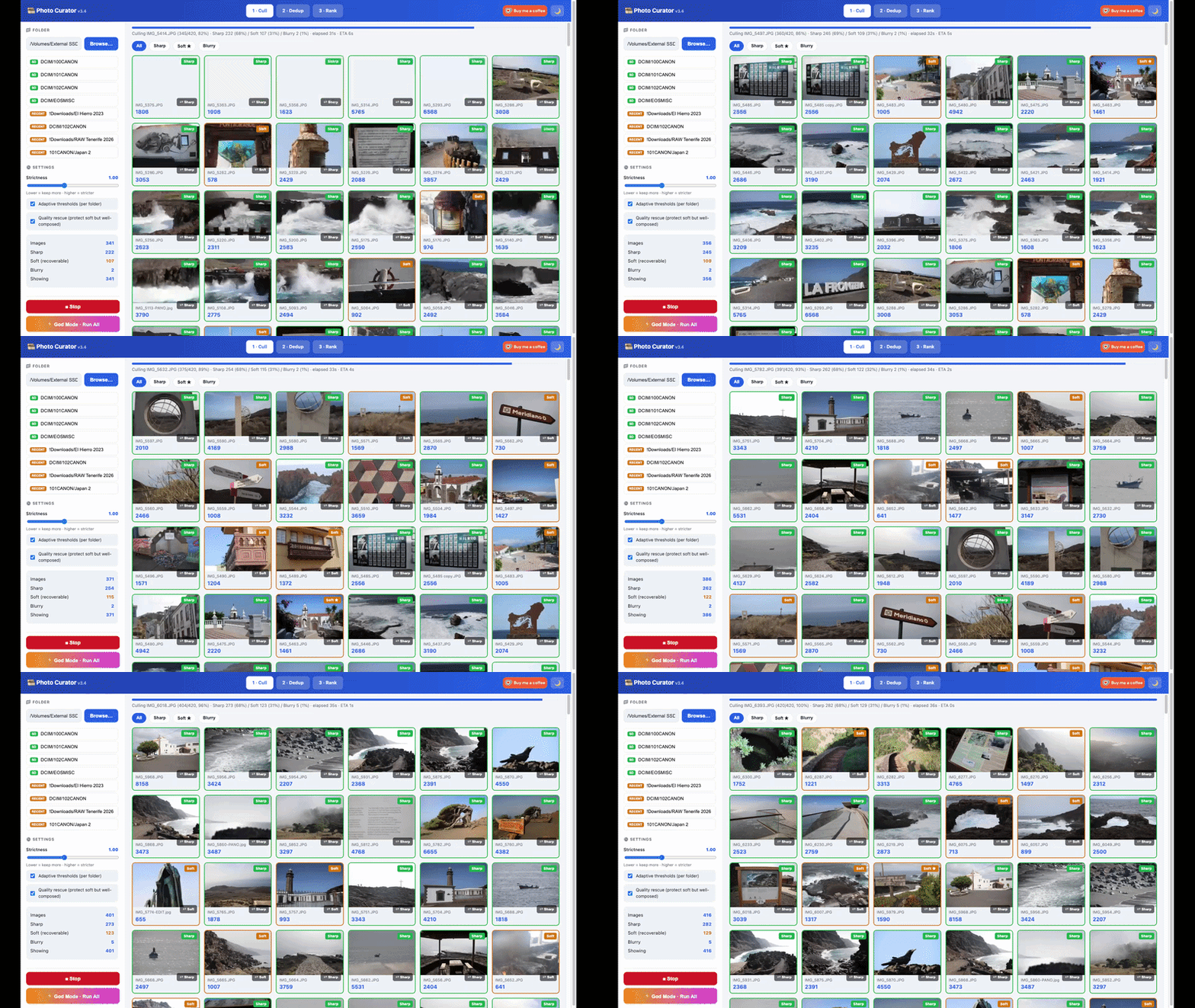
Cull view
Step 2 · Dedup

Collapse the bursts to one keeper.

A 192-bit perceptual hash clusters near-duplicates globally; EXIF capture-time tightens bursts and ORB feature-matching stops distinct scenes from being wrongly merged.

  • The sharpest frame of each group is kept
  • Labelled “Best of N” so you see how many it stood in for
  • RAW+JPG pairs of the same frame can collapse to one
  • Vectorized and cached, big cards stay fast
Dedup view
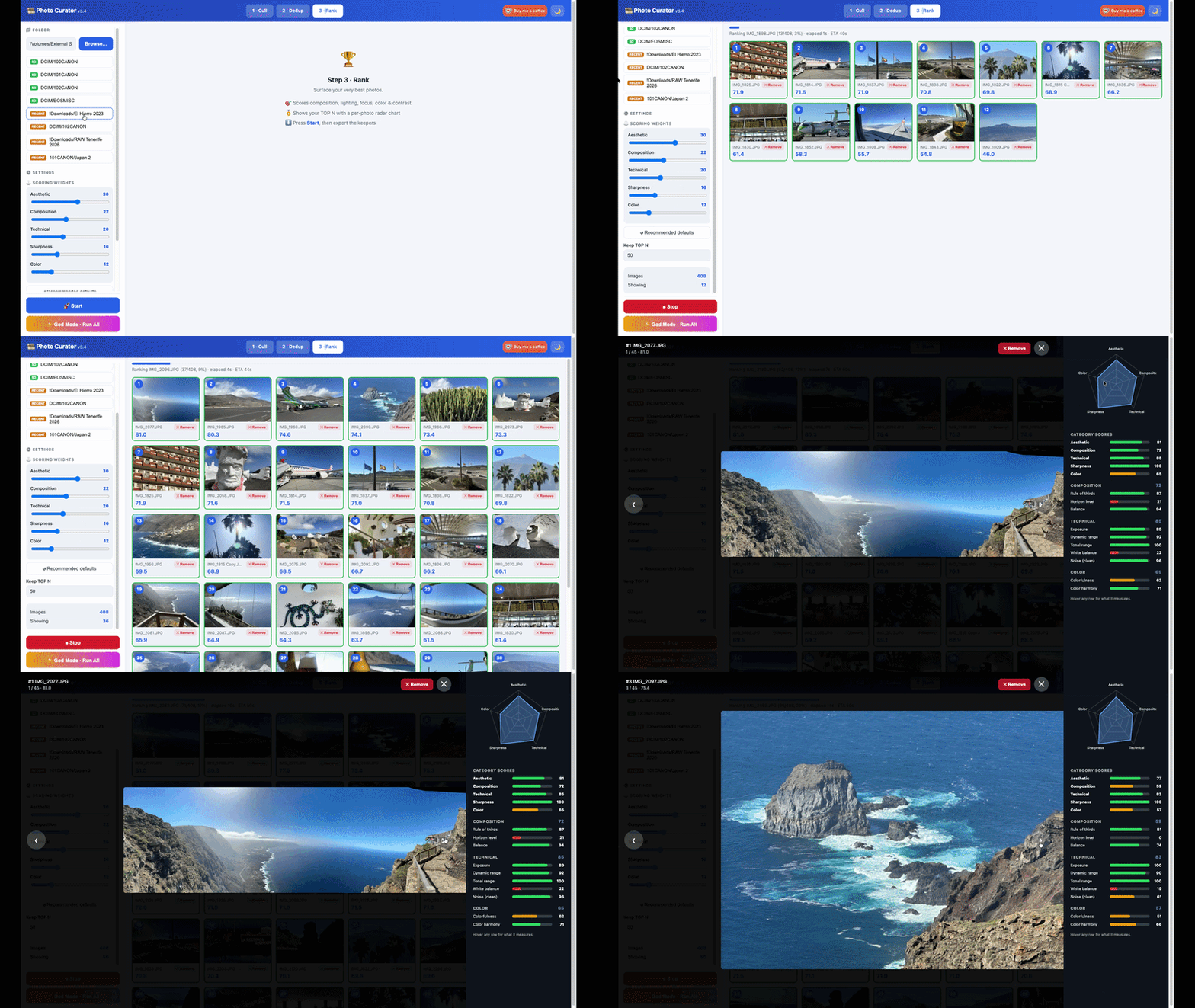
Step 3 · Rank

Surface your TOP N, with the reasoning.

Every keeper is scored across five dimensions and shown with a per-photo radar chart and a TOP-N average metric profile. Ranking shows live progress with elapsed time and ETA.

  • Composition · Lighting · Focus · Colour · Contrast
  • Adjustable scoring weights
  • Skip Dedup? Ranking folds the clustering in automatically
Rank view
One button

God Mode runs the whole thing.

Press once and it advances through Cull → Dedup → Rank, landing on your ranked TOP N without moving a single file. You still review and move rejects yourself.

Cull → Dedup → Rank → TOP N

Straight off the card

RAW and HEIC, first-class. No conversion step.

Point it at a RAW shoot or an iPhone import and go. No detours through Lightroom or Photos. Powered by LibRaw and libheif, decoded on your machine.

Every major RAW format

Canon CR2 / CR3, Nikon NEF, Sony ARW, Adobe DNG, Fuji RAF, Olympus ORF, Panasonic RW2, Pentax PEF and more. The embedded JPEG preview is used for thumbnails, analysis and display, with a half-size RAW develop as fallback. Exports always copy the untouched original.

HEIC · HEIF · HIF

iPhone and Android stills, plus Canon and Sony HEIF. EXIF comes through intact: date, lens, GPS and orientation. Full-size view is a cached JPEG transcode so Chrome, Firefox and Edge work too; your .heic files are never touched.

Shoot RAW+JPG? Covered.

File-type filter chips in Cull: All types · RAW only · JPG only · HEIC only, plus per-format chips when a folder mixes brands. Dedup collapses same-frame RAW+JPG pairs to one keeper (keep both / RAW / JPG).

SD cards, every brand

Insert a card and the sidebar finds your shots: Canon 100CANON, Nikon 100NIKON, Sony 100MSDCF, Fuji, Olympus, Panasonic, GoPro, DJI. Date-nested DCIM layouts handled, empty folders skipped, each shortcut labelled with the detected brand.

Reads: JPEG · PNG · HEIC / HEIF / HIF · TIFF · BMP · WebP · CR2 · CR3 · NEF · ARW · DNG · RAF · ORF · RW2 · PEF and every RAW format LibRaw handles.

Private by architecture

Your photos never leave your machine.

Not a policy, a design. There is no cloud and nothing to sign into. The app runs a small server bound to 127.0.0.1 and opens a browser tab against it.

127

100% local

All analysis runs in Python on your machine. The only socket opened is a local server on 127.0.0.1 so your browser can reach it, unreachable from the network.

0

No uploads, no tracking

No cloud, no accounts, no telemetry, no third-party trackers. The only optional outbound requests are OpenFreeMap tiles for the GPS view, loaded by your browser.

↩

Always reversible

Nothing is deleted or moved without your say-so. Rejects relocate to Blurred/, Duplicates/ or TOP_N/ only when you press the button.

Get started

Download.

Grab the offline package for your platform, or run it from source. Everything runs locally and opens in your browser at 127.0.0.1:5014.

Mac · Apple Silicon

~76 MB
Recommended

Python and every image library, RAW and HEIC included, are bundled inside. No install, no terminal, no internet needed.

  1. Unzip and keep the PhotoCurator folder together.
  2. Right-click “Start Photo Curator.command” → Open (first time only).
  3. A boot animation plays, then your browser opens automatically.
Download · Apple Silicon M1–M6 · macOS 11+ · runs entirely offline

Windows

~86 MB

The same app with its own private Python 3.11 inside. Nothing is installed into Windows, nothing touches an existing Python.

  1. Unzip and keep the PhotoCurator-Win folder together.
  2. Double-click “Start Photo Curator.bat”.
  3. SmartScreen may ask once: More info → Run anyway.
Download · Windows x64 Windows 10 / 11 · 64-bit Intel or AMD · runs entirely offline

Linux

~124 MB

Bundled CPython 3.11 and every library inside. No sudo, no system Python, nothing installed outside the folder.

  1. Extract and keep the PhotoCurator-Linux folder together.
  2. Run ./start-photo-curator.sh from a terminal.
  3. Open the printed 127.0.0.1:5014 link in your browser.
Download · Linux x64 x86_64 · glibc 2.28+ (Ubuntu 20.04+, Debian 10+, RHEL 8+) · runs entirely offline

Run from source

~120 KB

For developers, or anyone comfortable with Python. Tiny download; you install the libraries yourself. Python 3.9+ · macOS / Windows / Linux · MIT licensed. RAW and HEIC need pip install rawpy pillow-heif.

Download source
# requires Python 3.9+
unzip photo-curator-7.zip && cd photo-curator-7
pip install -r requirements.txt
python photo_curator.py

Not sure which? Pick the offline package for your platform. All builds run on port 5014 (“50mm f/1.4”) because macOS reserves port 5000 for AirPlay.