XProtect on physical keys.
Play, step, snapshot, export, PTZ, jump between views — Milestone XProtect Smart Client on a Stream Deck, plus any camera or view by number. Windows natively; on a Mac through Parallels, VMware or Remote Desktop.
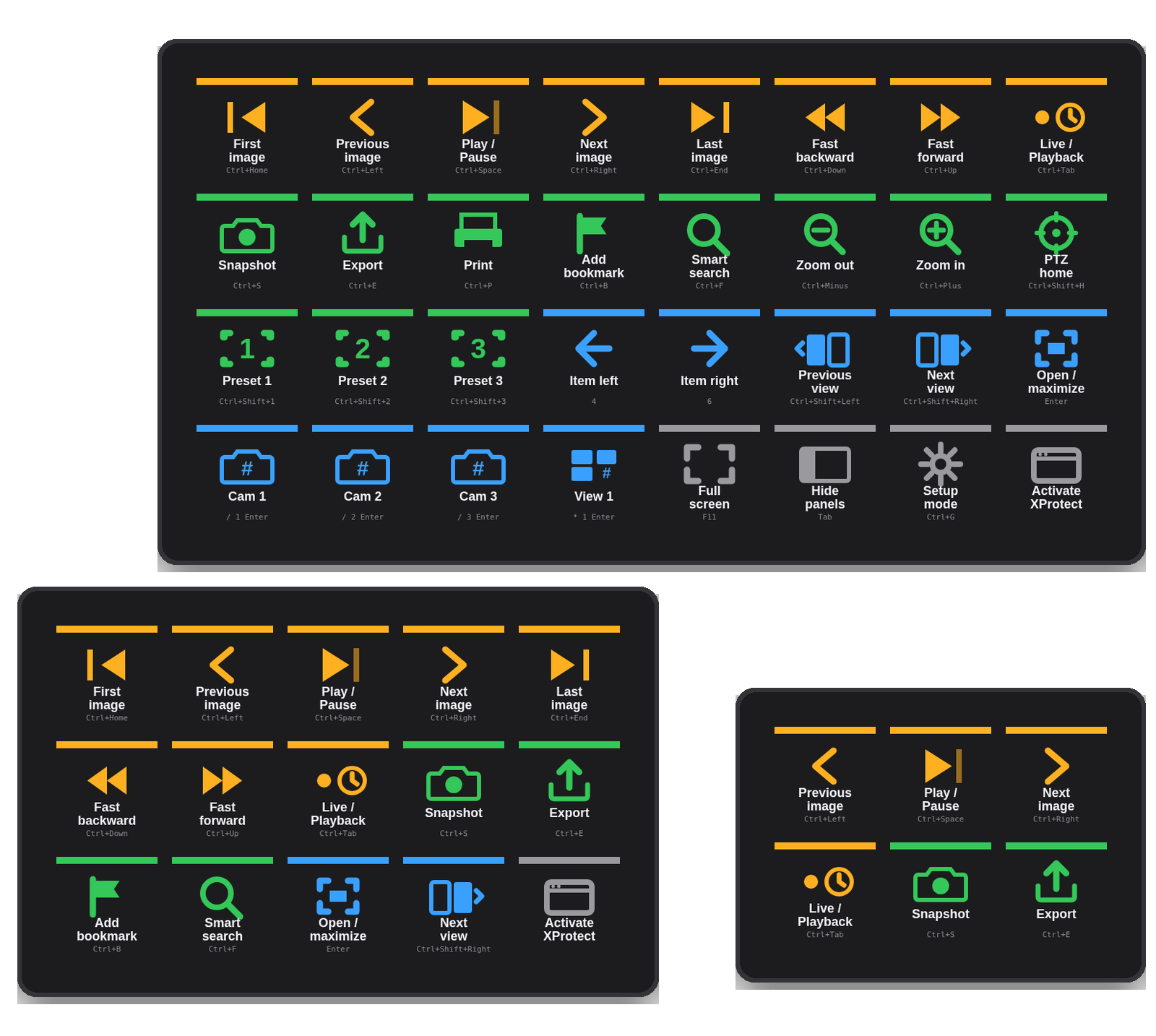
XProtect runs on shortcuts you assign.
Smart Client has a few fixed defaults for view navigation on the numeric keypad; almost everything else you assign yourself in Settings → Keyboard. The plugin embraces both:
View navigation, out of the box
Open / maximize (Enter), move between view items (8 2 4 6), reset item (/ Enter) and view (/ / Enter).
Assign once, then press
Play/Pause Ctrl Space, next / previous image, snapshot, export… In Settings → Keyboard set the same combo (or type your own into the key).
Cameras & views
/ 5 Enter shows camera 5 in the selected item, * 3 Enter opens view 3. A Stream Deck XL becomes a camera-wall selector.
Drag what you need.
The plugin adds a "Deck for Milestone XProtect" group to the Stream Deck action list.
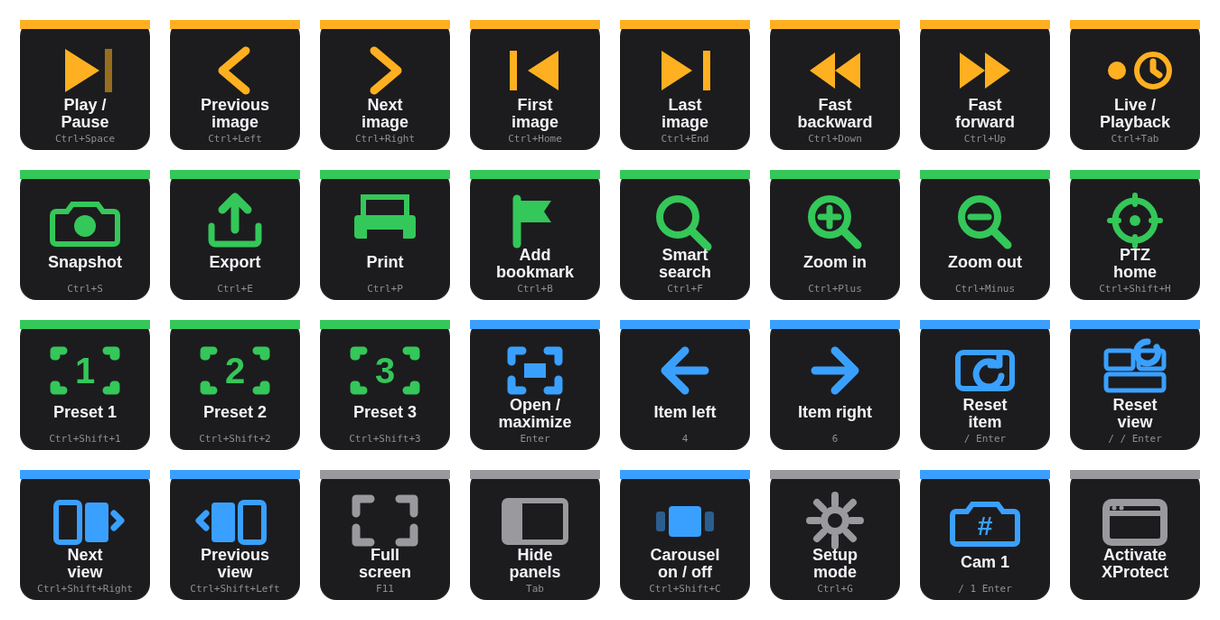
| View navigation | Open / maximize item, select item up / down / left / right, reset item, reset view — the numeric-keypad defaults. |
| Playback | Play / pause · previous / next image · first / last image · fast backward / forward · live / playback. |
| Evidence | Snapshot · export · print · add bookmark · smart search. |
| PTZ | Zoom in / out · presets 1–3 · PTZ home. |
| Views & layout | Next / previous view · full screen · hide panels · carousel on / off. |
| Hotkey · Activate | Any camera / view by number or your own assigned shortcut; and Activate to bring Smart Client to the front so the next key lands in it (Windows window, or the hosting app on a Mac). |
Any camera or view, one press.
Smart Client puts a camera in the selected item when you type its shortcut number on the keypad and press Enter. The Hotkey key sends exactly that: title "Lobby cam", shortcut / 5 Enter. Views work the same with * 3 Enter. Fill an XL with your camera and view numbers.
Mini, MK.2, XL — a profile for each.
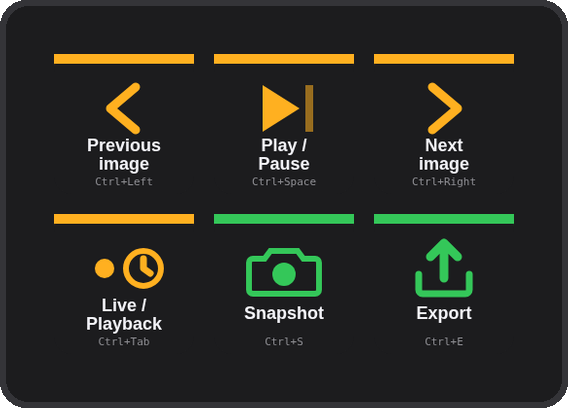
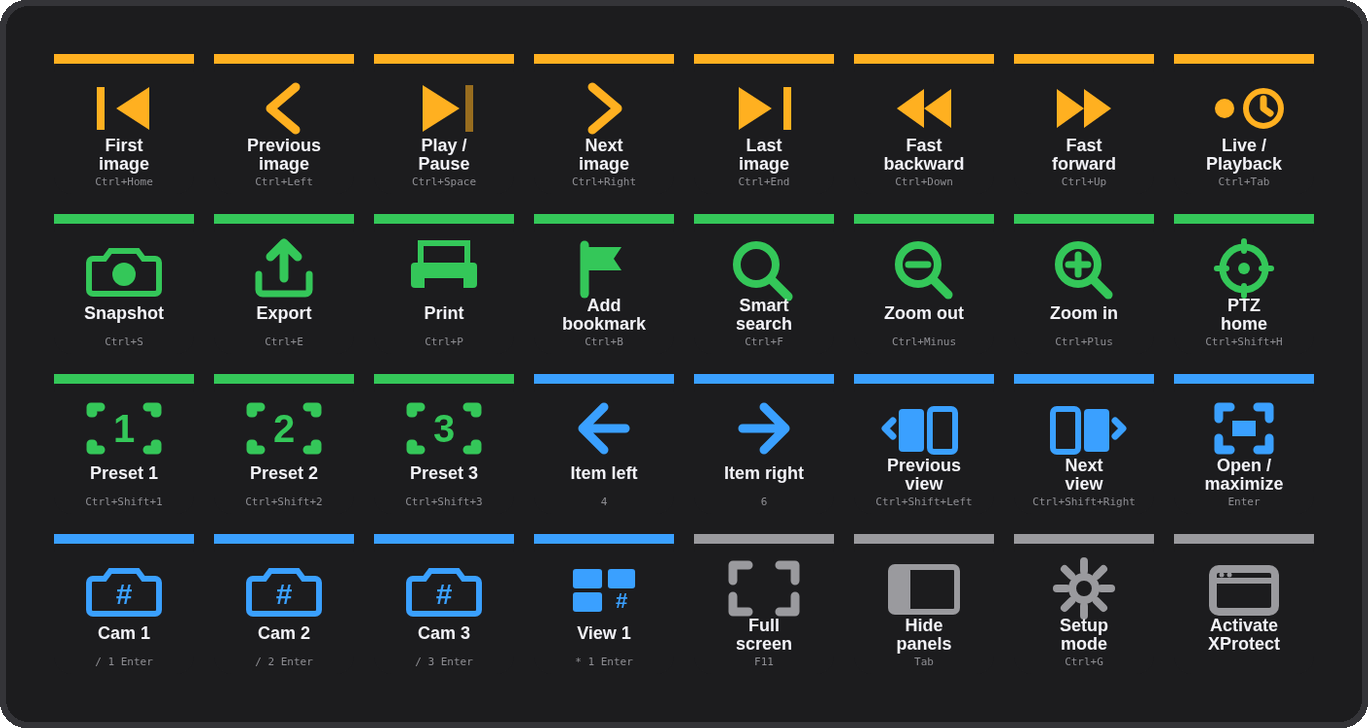
The installer carries three ready-made profiles — XProtect (MK.2, 5×3), XProtect Mini (3×2) and XProtect XL (8×4) — and Stream Deck installs only the one that matches your device. The XL's bottom row carries camera / view examples to rename to your own shortcut numbers.
Three steps.
Download and double-click
com.4xsdev.milestone-sc.streamDeckPlugin — Stream Deck asks to install the plugin. It brings the actions and a ready profile for your deck.
Mirror the combos
The ✓ view-navigation keys work out of the box. For the rest, open Settings → Keyboard in Smart Client and assign the combo shown on each key — or edit the key to match what you already have.
Press Activate, then go
Shortcuts go to the front window. Press Activate XProtect (or click into it) and the deck is live. Rename the camera / view keys to your numbers.
Other Stream Deck plugins.
Physical keys for the tools you already use. All free and open source.
Deck for Claude ↗
Answer permission prompts, replies, shortcuts & status for the Claude desktop app
Camera Deck for Axis & CamStreamer ↗
PTZ, presets, overlays and CamStreamer/CamSwitcher control for Axis cameras
Deck for AXIS Camera Station Edge ↗
Recording playback, PTZ and view controls for ACS Edge
Deck for AXIS Camera Station Pro & 5 ↗
Playback, cameras, PTZ presets and any hotkey for ACS 5 & Pro
Deck for Genetec Security Desk ↗
Playback, alarms, tiles, PTZ, doors and any camera by logical ID for Security Desk